
- Teacher: Admin User
Masomo Bora Kwa Wote
-
WELCOME TO COMPUTER INSTALLATION UNIT
Course Concept
This unit equips learners with basic skills to install, set up, and maintain computer systems. The course focuses on hands-on practice, safety, and solving common computer problems in a workshop or workplace environment.
Course Requirements
Learners should:
-
Know how to use a computer at beginner level
-
Be willing to do practical work
-
Have access to a computer laboratory/workshop
Facilitator
The unit should be taught by:
-
Kirui Kipngeno Calvin
Course Content
-
Introduction to Computers
-
Computer Parts and Their Functions
-
Tools and Safety in Computer Installation
-
Assembling and Disassembling a Computer
-
Installing Operating Systems
-
Installing Drivers and Software
-
Basic Computer Maintenance
-
Simple Network Connections
-
Identifying and Fixing Common Computer Problems
-
Computer Care and Safety Practices
Assessment Methods
Learners will be assessed through:
-
Practical tasks and demonstrations
-
Short tests and quizzes
-
Assignments
-
Continuous assessment
-
Final practical assessment
-
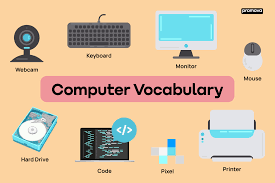
Essential Computer Components
A typical desktop computer setup consists of several key hardware pieces:
- Computer Case: The main "tower" that houses the internal components like the motherboard and CPU.
- Monitor: The screen that displays images, videos, and your workspace.
- Keyboard and Mouse: The primary tools used to give the computer instructions and navigate the screen.
- Central Processing Unit (CPU): Often called the "brain" of the computer, it handles all calculations and tasks.
Basic Skills for Beginners
If you are just starting out, mastering these five skills will make using a computer much easier:
- Navigation: Learning to use the operating system (like Windows or macOS) to find files and apps.
- Typing: Building speed and accuracy on the keyboard.
- Internet Browsing: Using web browsers to search for information safely.
- Email: Setting up and using communication tools for work or personal use.
- Troubleshooting: Knowing basic fixes, like restarting the device when it freezes.
-